
How to Deploy a Website Chatbot Fast: Step-by-Step Guide
How to Deploy a Website Chatbot Fast: Step-by-Step Guide
Adding an intelligent website chatbot used to be an expensive, complicated project requiring a dedicated software team. Today, setting up automated support is incredibly accessible, whether you run a small business or a rapidly growing startup.
If your goal is to provide immediate, 24/7 answers to your website visitors, you need an easy way to move quickly. In this guide, we will outline exactly how to deploy a website chatbot fast using the powerful Chatzy AI platform.
By breaking the process down into seven simple steps, you can give your customers instant support without writing a single line of backend code.
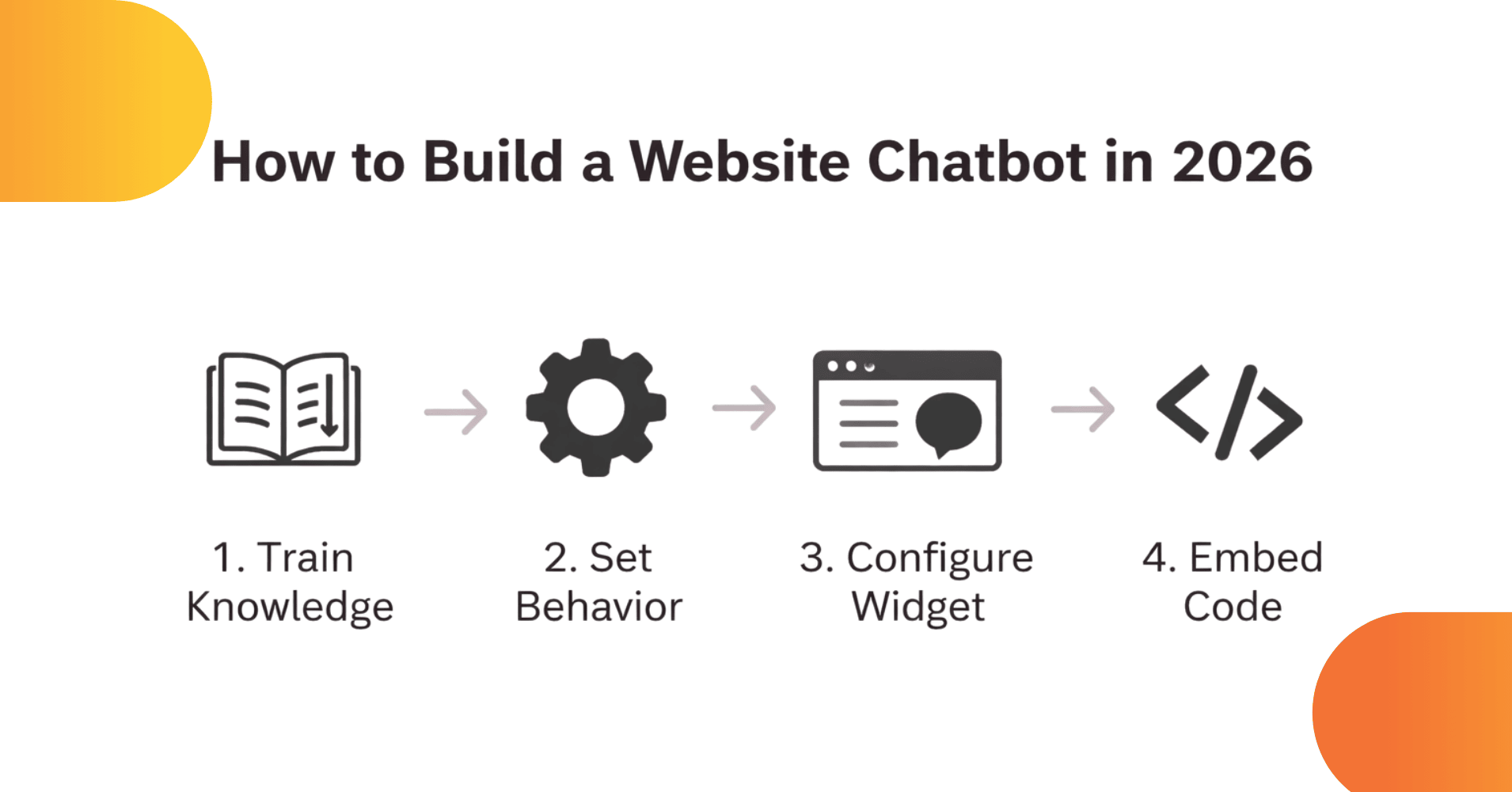
The Simple Mental Model
Before we begin building, it helps to understand exactly what makes a modern website chatbot work perfectly. You can think of the entire deployment process using this incredibly simple mental model:
| Component | What it Represents | What You Do Here |
|---|---|---|
| Data | The Knowledge | You upload your business policies, FAQs, and links. |
| Base Prompt | The Brain | You set the rules, personality, and main goals. |
| Widget | The Face | You choose the brand colors and the welcome message. |
| Embed | The Deployment | You paste the final script live onto your website. |
Simply keep this framework in mind as we launch your website chatbot locally.
Step 1: Train the Chatbot (Data Tab)
This is the most critical step because this is exactly where your bot “learns.” A website chatbot is only as smart as the information you give it.
What to do: Open your Chatzy dashboard and navigate straight to the Data tab. From here, you can add Data via Text, File, Website, or FAQs.
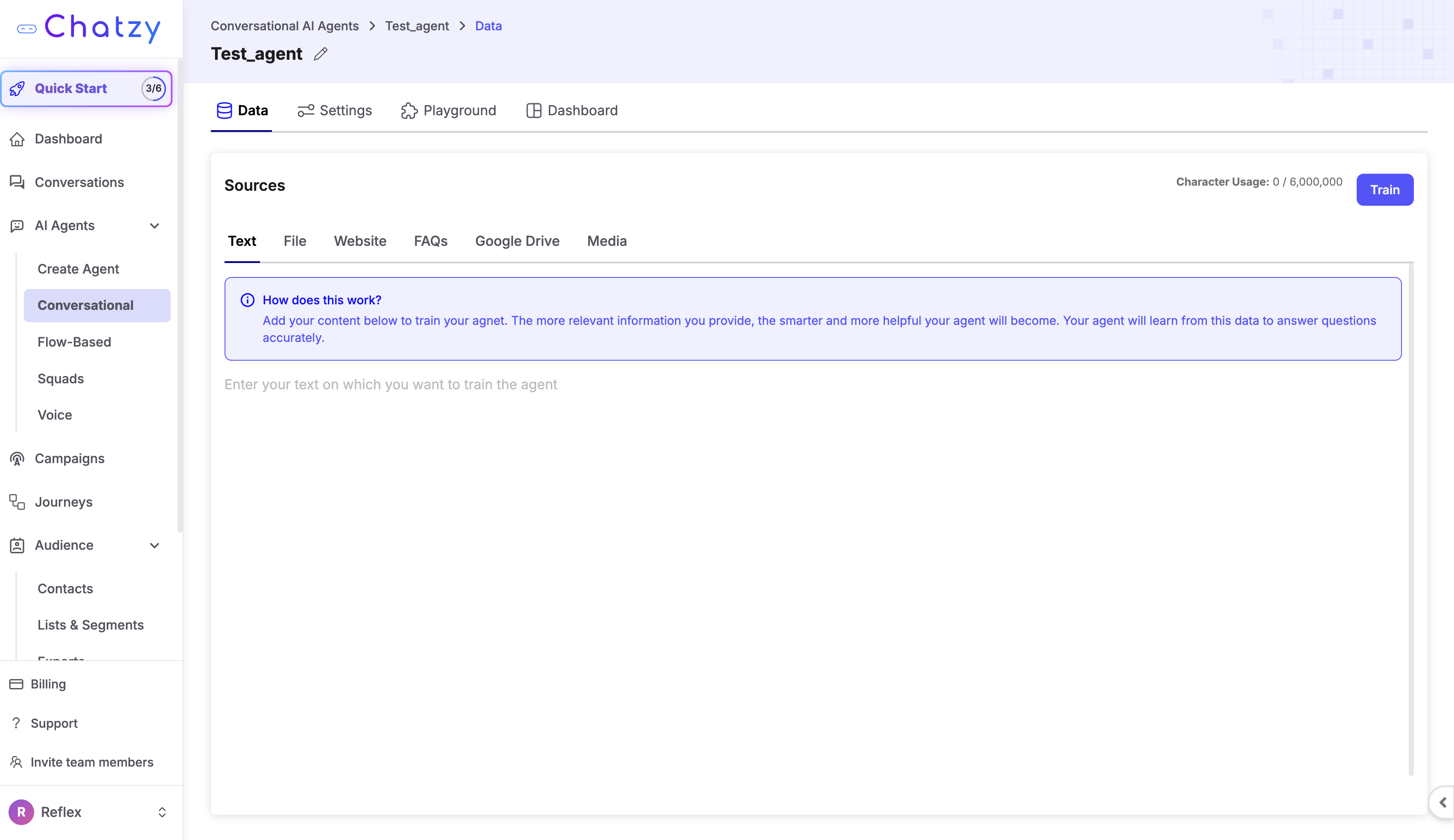
You should add:
- Your existing website content (by pasting the URL so the bot can read it).
- Frequently Asked Questions (which is the absolute best way to guarantee high accuracy).
- Core product or service information.
- Standard business policies (refunds, shipping, pricing, etc.).
Crucial Tip: Structure your written content properly so the AI reads it easily. Rely on short paragraphs rather than massive blocks of heavy text. Specifically, format your direct information like this: Question → Answer
Example: Q: What exact services do you offer? A: We provide professional web development, custom AI chatbot solutions, and business automation services.
Once all your information is inserted, simply click Train safely in the top right corner.
Step 2: Define Behavior (Settings → Base Prompt)
After giving the website chatbot its knowledge, you must configure its brain. The Base Prompt is arguably the most important feature to guarantee safety and brand voice.
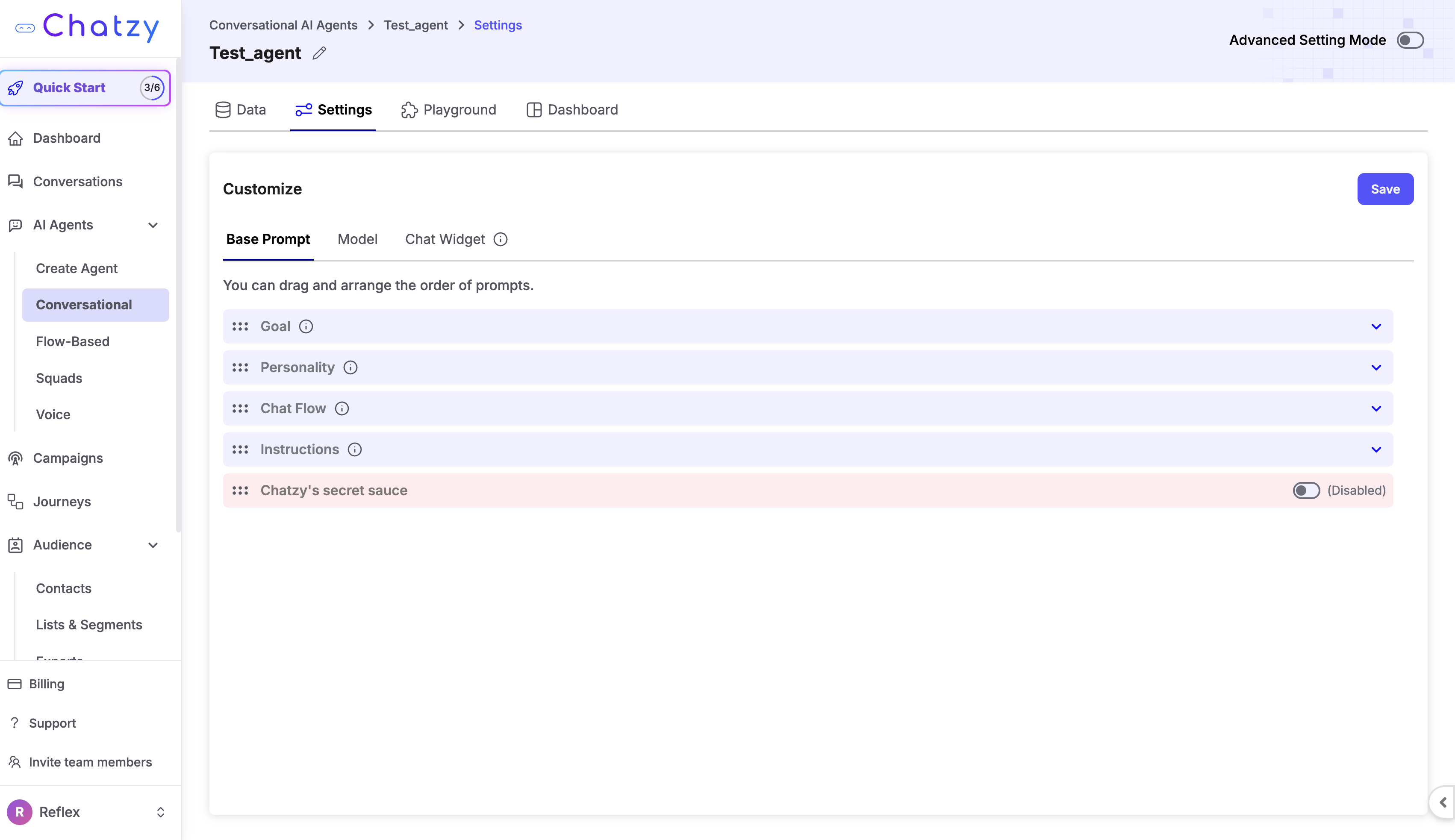
Inside this section of the Chatzy dashboard, you will see four distinct fields: Goal, Personality, Chat Flow, and Instructions.
Fill them exactly like this for the best results:
Goal: Help website visitors by answering questions rapidly about our services, pricing, and support. Actively guide users toward contacting our sales team or booking a demo seamlessly.
Personality: Provide a professional, concise, helpful, and slightly conversational tone. Fully avoid lengthy, overwhelming explanations unless the user specifically asks for deep details.
Chat Flow:
- Warmly greet the website visitor.
- Determine exactly what their question is.
- Provide a clear, highly accurate answer based on the training data.
- Always visibly suggest a natural next step (such as clicking the contact page, booking a demo, or downloading a guide).
Instructions:
- You must always answer exactly based on the provided company data.
- If you are ever unsure of an answer, politely ask the user a clarifying question.
- Keep your general responses tight, ideally under 120 words.
- Strictly do not hallucinate or invent false company policies.
Step 3: Choose the Model (Settings → Model Tab)
Your website chatbot operates using sophisticated language models.
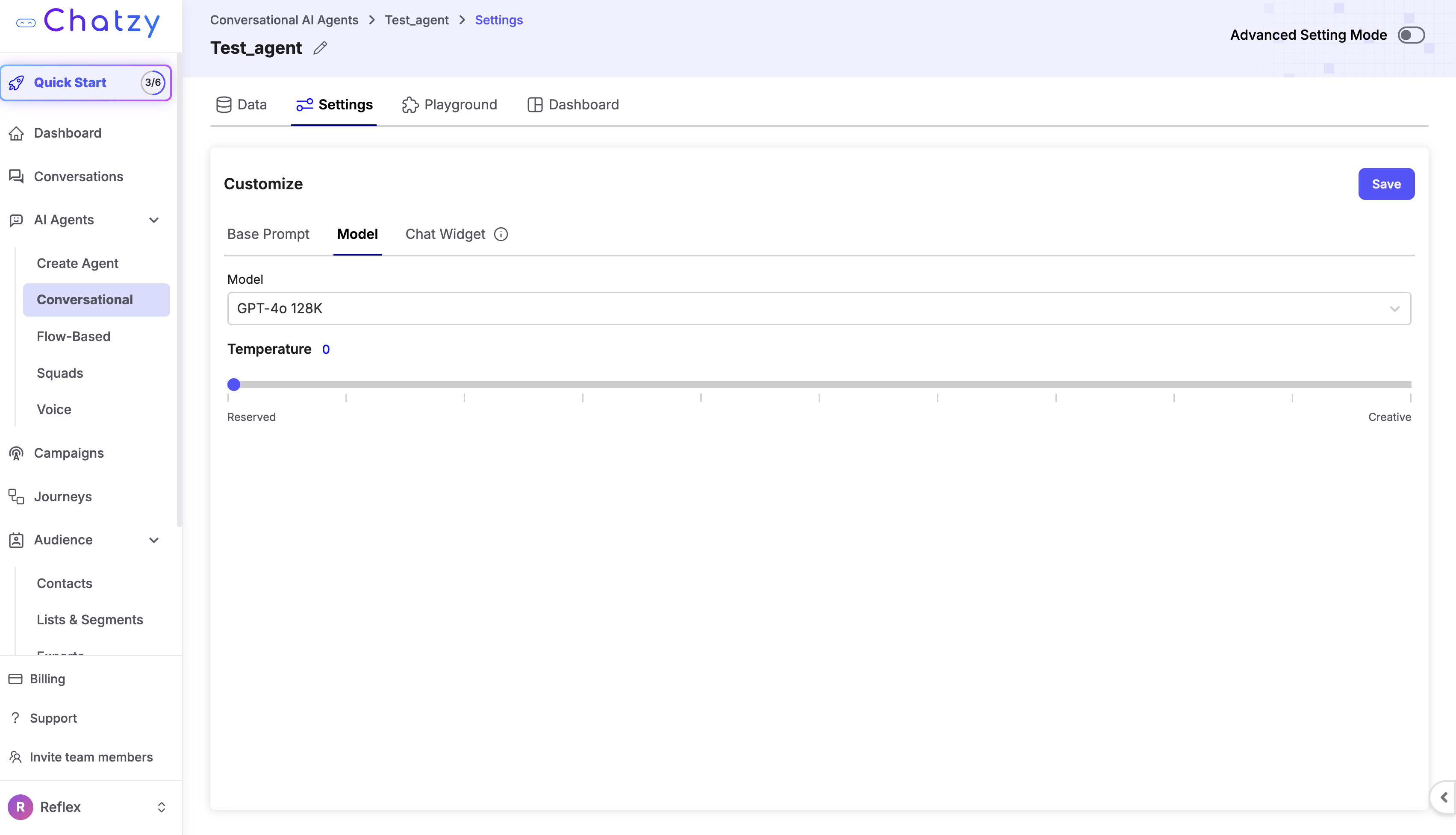
By default, you are likely using a leading model like GPT-4o 128K. You will notice a setting labeled "Temperature."
Recommendation: Keep your temperature setting extremely low (between 0 and 0.3). A low temperature heavily prioritizes factual accuracy and strictly adheres to your data. You only want to increase this number if you randomly want the bot to sound wildly creative or heavily colloquial, which is rarely recommended for professional support tracking.
Step 4: Configure the Chat Widget (Settings → Chat Widget)
Now that the brain is ready, it is time to build the "Face." This section securely controls exactly what users see when they land on your website interface.
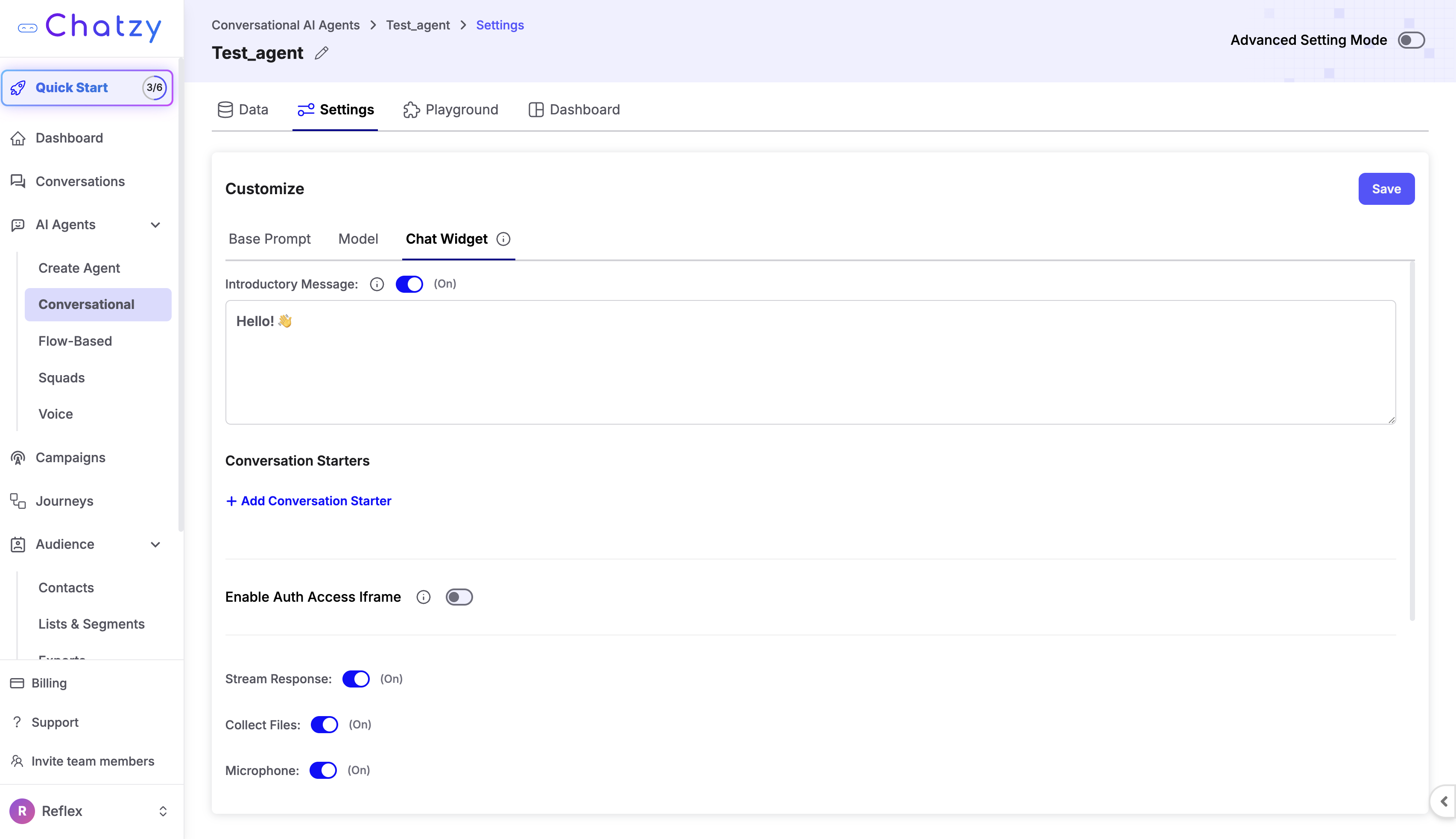
Set up the following details:
- Bot Name: Name it something friendly or strictly stick to your company name.
- Welcome Message: Create an inviting opener such as, "Hi there! How can I help you today?"
- Colors: Customize the exact hex codes of the chat bubble to flawlessly match your primary corporate brand colors.
- Position: Decide where the bubble sits on the screen (the bottom right corner is typically the most user-friendly choice).
Step 5: Deploy to Your Website
This is your final deployment milestone. You have trained it, customized it, and now you must put it online so customers can talk to it actively.
The typical deployment process is completely simple:
- Navigate to the Dashboard, then select Widget, and finally hit Embed.
- The system generates a small line of code natively. Copy the provided script, which closely resembles something like
<script src="..."></script>. - Open your website management platform and paste that exact script. Ideally, place the script safely right before the closing
</body>tag in your HTML file. - If you utilize a CMS like WordPress, Webflow, or Shopify, effortlessly utilize their native header/footer code injection tools to paste the block securely.
The moment you securely save your code changes, your completely functional website chatbot will visibly appear online confidently.
Step 6: Test Thoroughly in the Playground
Actually, right before heavily promoting your new chat widget to thousands of live users directly, test it.
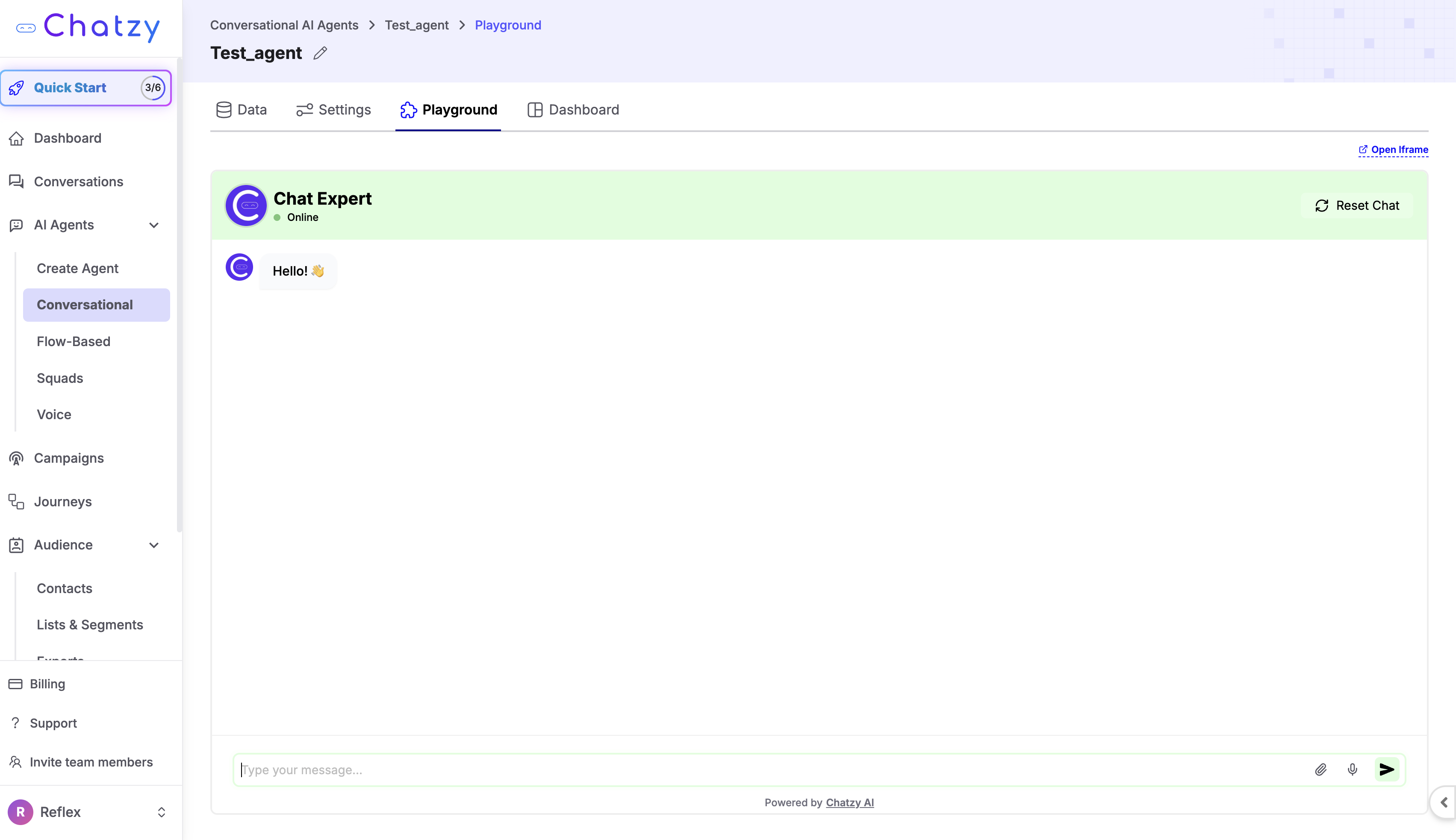
Utilize the dedicated Playground Tab safely inside Chatzy. Act exactly like a real user attempting to break the system aggressively.
- Ask aggressive real-world questions constantly.
- Purposely look for gaps in logical routing.
- If the website chatbot misses an answer you know it should have caught perfectly, instantly fix the gap safely by returning to the Data tab and uploading a clearer FAQ dynamically.
Step 7: Improve Continuously
The best website chatbots are not "set and forget" tools securely. They constantly evolve heavily based on human interaction securely.
If you ever notice within your conversation logs that the website chatbot delivers a slightly incorrect answer, immediately take heavy corrective action natively:
- Instantly add a significantly better FAQ directly targeting the issue safely.
- Aggressively refine your internal instructions securely via the Base Prompt module continually.
- Completely remove any old, heavily unclear content from the specific training module rapidly.
Over time, your website chatbot becomes an absolutely flawless extension of your own customer support team actively resolving major inquiries constantly seamlessly.
Start Automating Conversations with Chatzy AI
AI conversational agents are drastically transforming how modern businesses approach lead capture, operational limits, and basic automated responses efficiently constantly.
Instead of waiting massive amounts of deployment time internally, utilizing specialized conversational platforms allows business teams securely to completely bypass complex server logic confidently.
AI conversational agents help companies rapidly:
- Respond efficiently to vast numbers of simultaneous website visitors safely.
- Keep core business workflows active completely on autopilot correctly.
- Maintain completely professional phrasing ensuring strict positive experiences constantly natively.
- Instantly deploy robust centralized communication workflows natively directly.
For any founder or team striving significantly to deploy communication seamlessly perfectly, relying completely on powerful operational systems provides unmatchable speed confidently safely. Utilizing the correct strategic mental models severely minimizes frustrating technical hurdles generally correctly.
Learn robust deployment securely today: https://chatzy.ai
FAQ
Why is a website chatbot beneficial for businesses today?
A website chatbot completely automates customer data tracking, frequently asked questions, and initial sales routing seamlessly ensuring visitors easily discover what they strictly need right away at any hour securely.
How precisely do I securely deploy a website chatbot fast natively?
To completely deploy a website chatbot fast smoothly, simply train the automated model instantly by pasting your current website URL directly into the specific Chatzy data menu cleanly. Immediately copy the generated JavaScript specifically into your footer framework confidently strictly.
Should I heavily increase my model temperature significantly aggressively?
Absolutely not generally correctly. Maintaining the strictly low temperature variables heavily guarantees factual accuracy safely natively. The chatbot precisely repeats explicitly stated content without actively dreaming strange corporate logic accidentally internally.
Does integrating a website chatbot severely slow my pages down natively?
No dynamically. Standard deployment scripts typically execute asynchronously natively ensuring your massive image files render completely first perfectly prioritizing organic Google SEO ranking constraints safely continually.
If the website chatbot guesses a completely wrong answer constantly securely what happens?
You effortlessly rectify the failure correctly natively by returning straight into the primary dashboard settings specifically actively. Ensure you tightly add a customized Question and Answer formatting heavily correcting the mistake directly into the Data tab smoothly guaranteeing the bot instantly learns from the precise error safely.