
A Complete Guide to the Gemini API
A Complete Guide to the Gemini API
Are you planning to build applications with Google AI using the Gemini API?
This guide is a practical, end-to-end resource designed to help developers move confidently from first prompt to production-ready systems using Google's Gemini models. It follows time-tested engineering principles: clear abstractions, predictable tooling, and a steady path from experimentation to scale.
You'll learn how to create and manage a Gemini API key, understand Gemini's model ecosystem, set up your development environment, use advanced features like function calling, structured outputs, long context, and Nano Banana image generation, and compare the Gemini API with other leading AI APIs.
By the end, you'll have a solid foundation—rooted in proven development practices—for building reliable, scalable AI-powered applications with the Gemini API.
What Is the Gemini API?
The Gemini API is Google's unified developer platform for accessing its most advanced generative AI models. It provides direct, programmatic access to the Gemini family, allowing developers to integrate powerful multimodal intelligence without building AI systems from scratch.
With the Gemini API, you can:
- Generate and understand text, images, video, and audio
- Analyze long documents, PDFs, and large codebases
- Build agentic workflows with tools and function calling
- Create real-time voice agents
- Generate images and videos using native Google AI models
At its core, the Gemini API reflects a familiar Google philosophy: strong foundations, scalable infrastructure, and production-grade reliability.
Meet the Gemini Models
Google's Gemini ecosystem is organized around clearly defined models, each designed for specific workloads. This structured lineup mirrors traditional software stacks, making architectural decisions easier and more predictable.
Gemini 3 Pro
- Google's most intelligent Gemini model
- Best-in-class multimodal understanding
- Advanced reasoning, coding, and agentic workflows
- Ideal for complex, enterprise-grade applications
Gemini 3 Flash
- Frontier-level performance at a fraction of the cost
- Optimized for speed and grounding
- Excellent for real-time applications and search-enhanced tasks
Gemini 2.5 Pro
- Advanced "thinking" model
- Excels in math, STEM, coding, and long-context reasoning
- Ideal for deep analysis and large datasets
Gemini 2.5 Flash
- Best price–performance balance
- Up to 1 million token context window
- Designed for large-scale, low-latency workloads
Gemini 2.5 Flash-Lite
- Ultra-fast and cost-efficient
- Optimized for high-throughput, high-frequency tasks
Nano Banana & Nano Banana Pro (Image Generation)

- Nano Banana: Gemini 2.5 Flash image model optimized for speed
- Nano Banana Pro: Gemini 3 Pro Image Preview for high-fidelity, instruction-heavy image generation
Veo 3.1
- State-of-the-art video generation with native audio
How to Get a Gemini API Key
Before using the Gemini API, you'll need an API key managed through Google AI Studio and backed by a Google Cloud project.
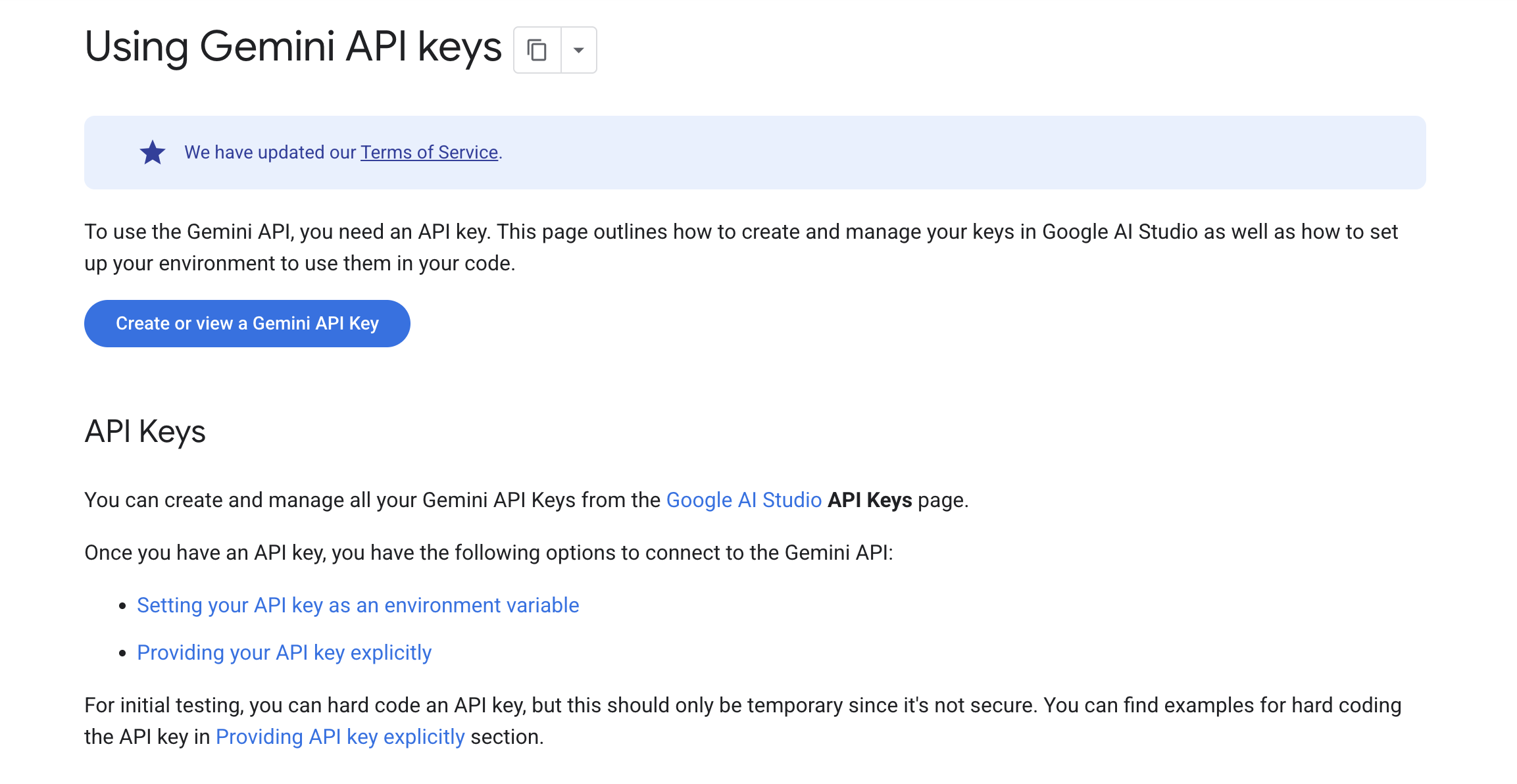
Step-by-Step: Creating Your Gemini API Key
-
Open Google AI Studio
Sign in with your Google account. -
Accept the Terms of Service
New users automatically receive a default Google Cloud project and API key. -
Manage Projects
Create a new project or import an existing one. Projects control billing, permissions, and quotas. -
Create an API Key
From the API Keys section, generate a new Gemini API key for your project. -
Secure Your Key
Treat your API key like a password. Rotate compromised keys immediately.
Traditional Best Practice:
Always use separate API keys for development, staging, and production environments.
Setting Up Your Development Environment
The Gemini API supports multiple languages and access patterns:
- Python
- JavaScript
- Go
- Java
- C#
- REST
Recommended: Python for Clarity and Speed
Python remains a dependable choice thanks to its readability and mature ecosystem.
from google import genai

client = genai.Client()

response = client.models.generate_content(
    model="gemini-3-flash-preview",
    contents="Explain how AI works in a few words",
)

print(response.text)
The simplicity of this API reflects Google's long-standing emphasis on clean design and developer ergonomics.
Managing API Keys Securely
Environment Variables (Recommended)
export GEMINI_API_KEY="YOUR_API_KEY"
The Gemini client libraries automatically detect this variable.
Explicit API Key (Testing Only)
from google import genai

client = genai.Client(api_key="YOUR_API_KEY")
Security Rules to Follow
- Never commit API keys to version control
- Never expose keys in frontend or mobile apps
- Restrict keys by IP, referrer, or platform
- Rotate keys regularly
- Audit usage frequently
These security habits have stood the test of time—and remain the safest path forward.
Core Capabilities of the Gemini API
Long Context Understanding
- Process millions of tokens
- Analyze large PDFs, documents, images, and videos
- Ideal for enterprise knowledge systems
Structured Outputs
- Enforce JSON responses
- Perfect for automation, workflows, and data pipelines
Function Calling
- Connect Gemini to external APIs and tools
- Build agentic systems with predictable behavior
Built-in Tools
- Google Search
- URL Context
- Google Maps
- Code Execution
- Computer Use
Thinking & Reasoning
- Advanced reasoning for planning and decision-making
- Particularly strong in Gemini 2.5 Pro and Gemini 3 Pro
Image Generation with Nano Banana
Nano Banana is Gemini's native image generation capability, designed for both speed and quality.
Example: Generating an Image
from google import genai
from PIL import Image

client = genai.Client()

response = client.models.generate_content(
    model="gemini-2.5-flash-image",
    contents="Create a picture of a futuristic banana with neon lights in a cyberpunk city."
)

for part in response.parts:
    if part.inline_data:
        image = part.as_image()
        image.show()
- Nano Banana: Fast, efficient, high-volume image generation
- Nano Banana Pro: Professional-grade assets with precise instruction following
Best Practices for Using the Gemini API
- Write clear and explicit prompts
- Choose stable model versions for production
- Use preview models cautiously
- Control token usage to manage costs
- Implement retries and robust error handling
- Cache frequent responses
- Use structured outputs for automation
- Prefer server-side API calls
- Restrict API keys aggressively
- Monitor usage in Google AI Studio
Good engineering habits never go out of style.
Build AI Agents on Chatzy AI Using Your Own API Keys
Beyond building from scratch, you can also deploy Gemini-powered experiences quickly using Chatzy AI.
Chatzy AI allows you to create custom AI agents and directly connect your own API keys, giving you full control over cost, behavior, and data flow—just like traditional self-hosted systems, but without the infrastructure overhead.
What You Can Do with Chatzy AI
- Create AI agents without writing backend code
- Plug in your own ChatGPT API key instantly
- Use Gemini and Anthropic (Claude) APIs with similar setup
- Switch models without rebuilding your agent
- Keep ownership of usage, billing, and limits
This approach is ideal for developers and teams who prefer using their own APIs rather than relying on bundled or opaque usage models.
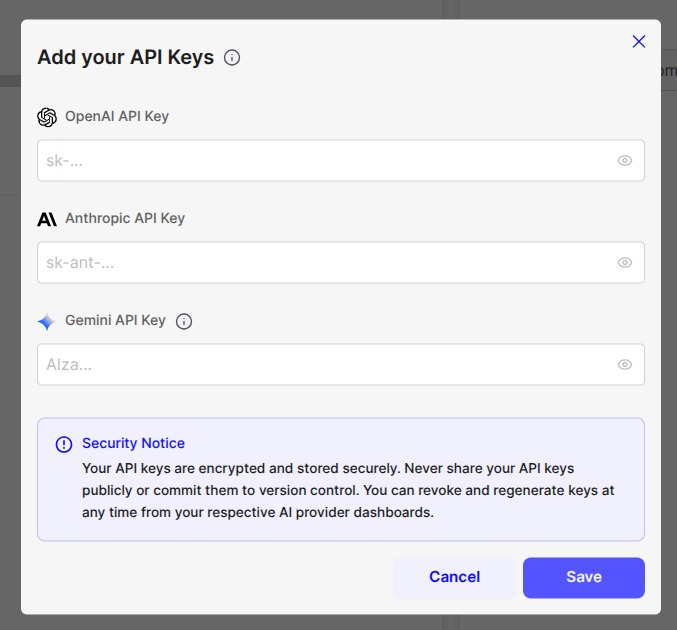
You can explore and start building at: https://chatzy.ai
Chatzy AI complements the Gemini API perfectly—combining modern agent workflows with the familiar discipline of bring-your-own-key architecture.
Gemini API vs ChatGPT API vs Claude API
Gemini API (Google AI)
- Strengths: Multimodal depth, long context, native tools, Google ecosystem
- Best For: Enterprise apps, search, multimodal agents, large-scale systems
ChatGPT API (OpenAI)
- Strengths: Versatility, strong reasoning, broad community
- Best For: Conversational apps, content generation, rapid prototyping
Claude API (Anthropic)
- Strengths: Safety-focused reasoning, thoughtful responses
- Best For: Assistants requiring strict safety and compliance constraints
Summary: Choose the Gemini API when you value scale, multimodality, and deep integration with Google's AI infrastructure.
App Ideas You Can Build with the Gemini API
- Enterprise knowledge assistants
- Multimodal customer support bots
- AI-powered document analysis systems
- Image and video generation tools
- Voice agents and call assistants
- Code review and refactoring tools
- Educational tutors with long-context memory
- Search-enhanced research platforms
- Robotics and vision-based applications
Start Building with the Gemini API
The Gemini API offers a dependable path from experimentation to production—backed by Google's decades of engineering discipline and infrastructure expertise.
Start small with Gemini 2.5 Flash or Gemini 3 Flash for early prototypes. As your requirements grow, move confidently toward Gemini 3 Pro and advanced agentic workflows.
Key Resources
- Google AI Studio – Prompt testing and API management
- Gemini API Reference – Complete technical documentation
- Developer Community – Learn from fellow builders and Google engineers
With the Gemini API, you're not just experimenting—you're building on a foundation designed to last.