
A Complete Guide to the ChatGPT API
A Complete Guide to the ChatGPT API
Are you looking to start building with the ChatGPT API?
This guide is designed for anyone who wants to explore the full potential of OpenAI's ChatGPT API. Whether you're integrating AI into an existing application or creating something entirely new, this resource will guide you through every step.
You'll learn how to obtain your API key, set up your development environment, configure the ChatGPT API, leverage advanced features, and compare it to other popular AI APIs. By the end, you'll have a clear understanding of how to build powerful AI-driven applications.
What's the ChatGPT API?
The ChatGPT API is OpenAI's developer platform that lets you integrate advanced AI capabilities directly into your applications. Instead of building AI from scratch, you get instant access to some of the world's most powerful language models through simple API calls.
It provides access to OpenAI's latest models, including:
- GPT-5: For general intelligence tasks
- O-series models: Advanced reasoning and multi-step problem solving
- GPT-4.1: Cost-effective performance for production
- Specialized models for voice (
gpt-realtime-mini), images (gpt-image-1), and video generation (Sora 2)
These models can understand and generate human-like text, analyze images, process audio, and even create videos. You can build chatbots, automate content creation, analyze documents, generate code, translate languages, or create multimodal applications combining text, voice, and visuals.
OpenAI designed the API with flexibility in mind. You can control behavior through parameters like model selection, temperature, token limits, and response formatting, giving you control over speed, creativity, and cost.
How to Set Up the ChatGPT API
Before making API calls, you need an API key to authenticate your requests. This key connects to your OpenAI account, manages billing, and determines which models you can access.
How to Obtain an OpenAI API Key
-
Access the OpenAI Platform
Visit OpenAI API Keys and sign up or log in.
-
Create Your API Key
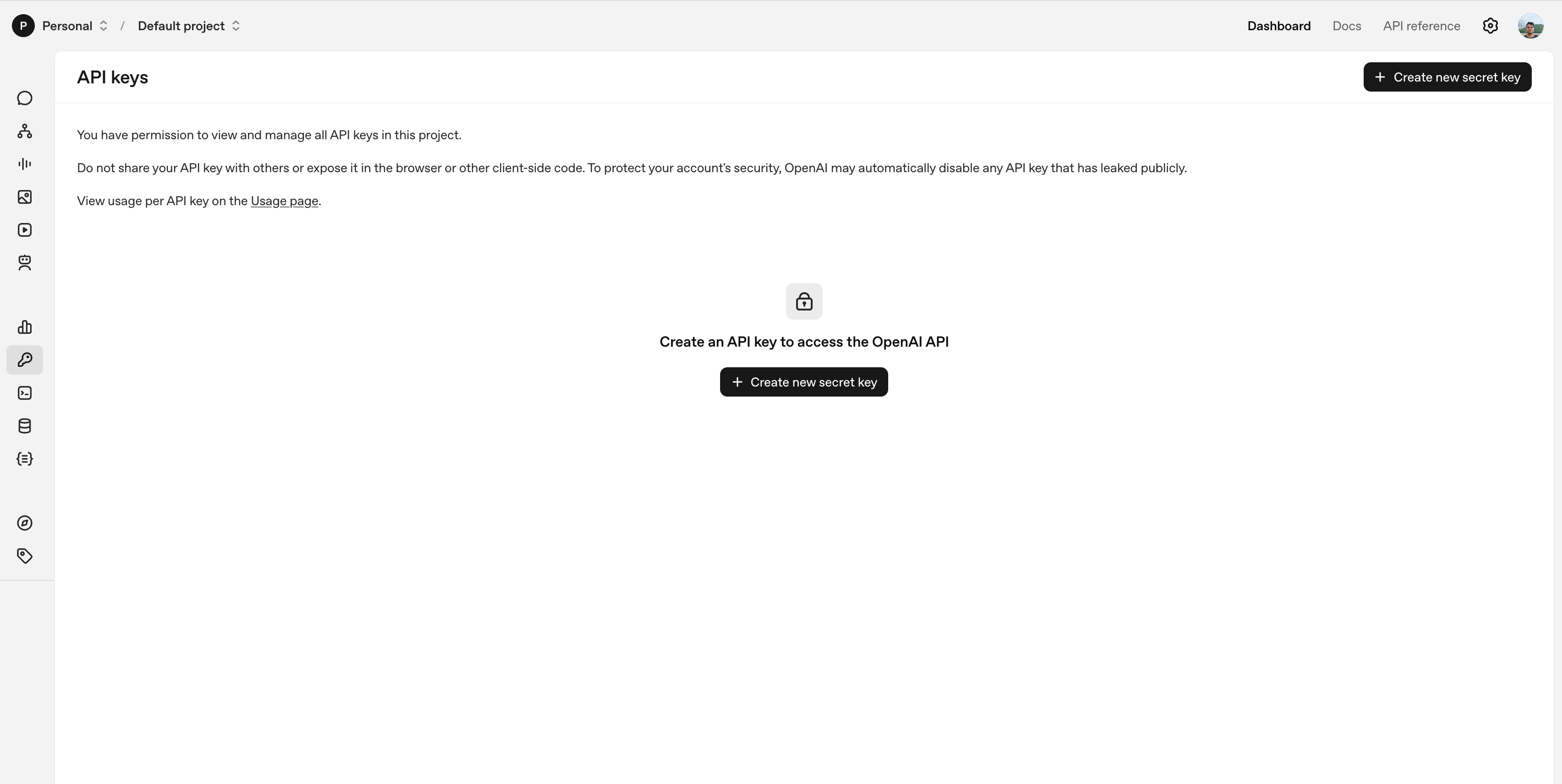
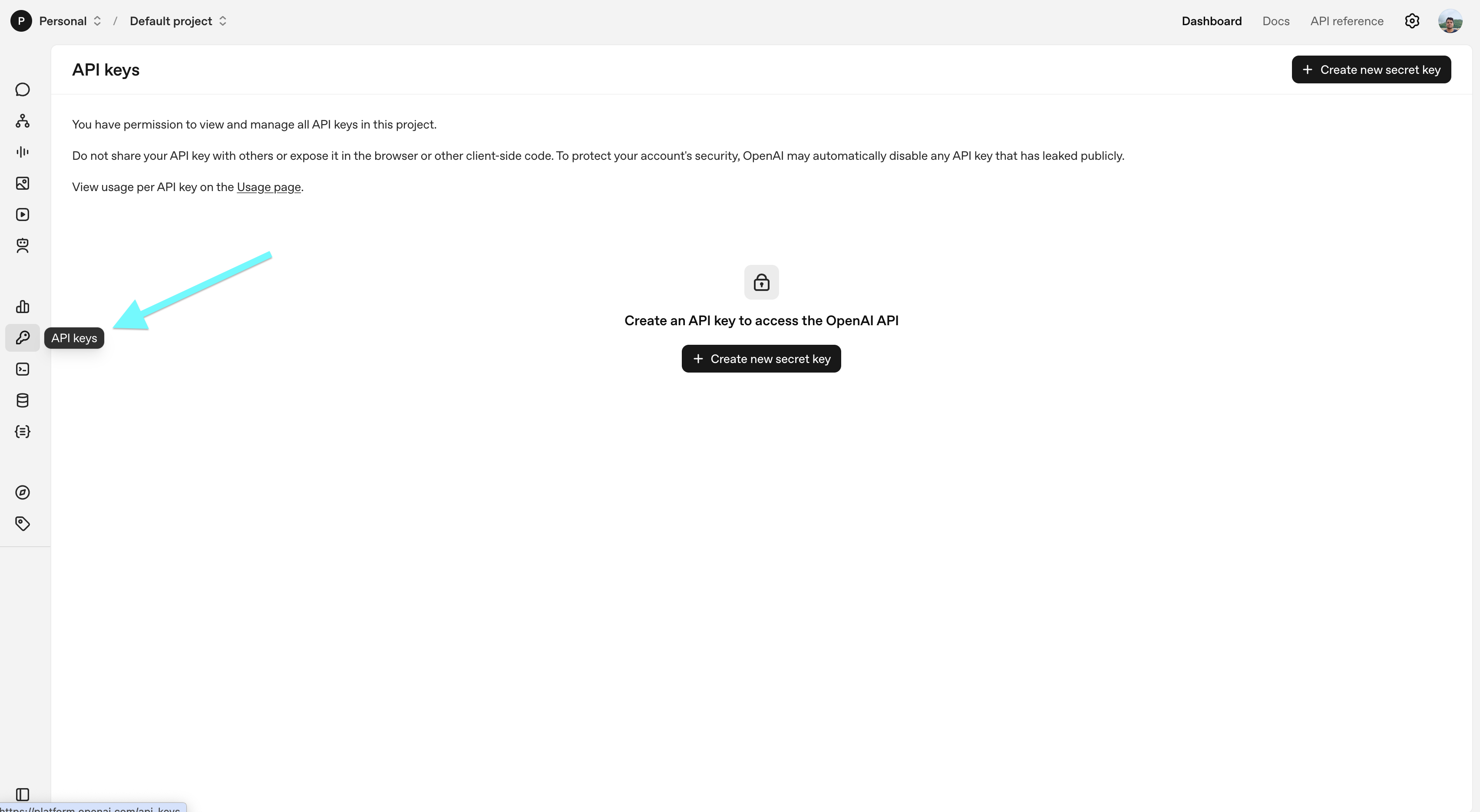
Navigate to API Keys in your dashboard, click Create new secret key, optionally name it for your project, and copy the key immediately.
-
Store It Securely
- Save in a password manager or environment variables
- Add to a
.envfile:OPENAI_API_KEY="sk-..." - Include
.envin.gitignoreto avoid exposure
Important Security Notes:
- Each key is linked to your account and billing
- Lost keys cannot be recovered; generate a new one if needed
- Rotate keys regularly and use project-scoped keys
Setting Up Your Development Environment
The ChatGPT API works with any language that can make HTTP requests. Popular choices include:
1. Python: Simplicity and a Rich Ecosystem
Python is widely used due to its readable syntax, extensive library support, and the official openai package. Tools like python-dotenv make environment management simple, enabling secure, production-ready applications. Python also integrates well with ML, data processing, and web development workflows.
2. JavaScript: Flexibility for Web Applications
JavaScript (Node.js, React, Vue, Next.js) is ideal for browser-based or server-side applications. Its asynchronous nature allows multiple API requests without blocking, perfect for chatbots, content generation, or interactive web apps.
3. Java: Scalability and Performance
Java suits enterprise-level applications needing stability and scalability. Its strong typing and multi-threading capabilities allow efficient handling of concurrent API requests.
Guide Language Choice:
We'll use Python in this guide for clarity and simplicity, but concepts translate to JavaScript or Java easily.
Best Practices for Using the ChatGPT API
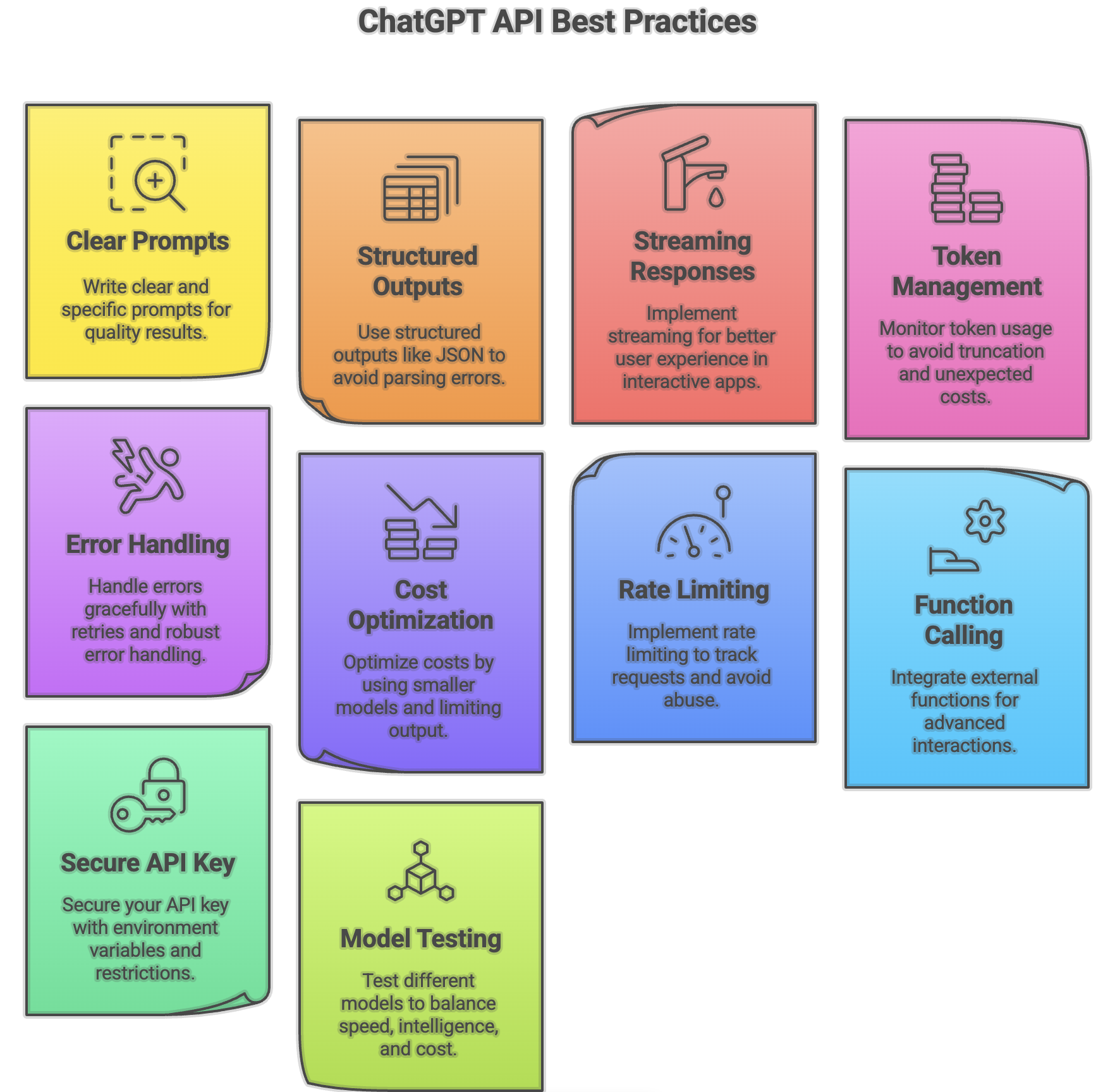
- Write Clear and Specific Prompts – Be explicit, provide examples, break complex tasks into steps
- Use Structured Outputs – For JSON or structured data, use the API’s structured output feature
- Implement Streaming for Better UX – Stream responses token-by-token for interactive applications
- Manage Context and Token Limits – Monitor token usage to avoid truncation and unexpected costs
- Handle Errors Gracefully – Implement retries, exponential backoff, and robust error handling
- Optimize Costs – Use smaller models, limit output length, cache frequent queries, batch requests
- Implement Rate Limiting – Track request rates, implement throttling, upgrade tiers if needed
- Use Function Calling – Integrate external functions or APIs dynamically
- Secure Your API Key – Use environment variables, rotate keys, monitor usage, restrict permissions
- Test Different Models – Experiment with GPT-4.1, GPT-5, and O-series models
Temperature in the ChatGPT API
Temperature controls creativity:
- 0–0.3: Deterministic, precise responses (factual queries, code)
- 0.4–0.7: Balanced creativity (summaries, conversational apps)
- 0.8–1: High creativity (storytelling, marketing copy, ideation)
response = client.chat.completions.create(
    model="gpt-4.1",
    messages=[{"role": "user", "content": "Write a short story about a robot and a cat"}],
    temperature=0.9
)
Experiment to find the ideal balance for your application.
ChatGPT API vs Claude API vs Perplexity API
ChatGPT API
- Core Model: GPT-4.1, GPT-5, O-series
- Strengths: Highly versatile, multimodal, robust developer support
- Best Use Cases: Chatbots, content creation, code generation, data analysis
- Access & Pricing: Subscription/API key-based
- Customization: Prompt design, function calling, temperature, token limits
- Multimodal Capabilities: Text, image, voice, video
Claude API (Anthropic)
- Core Model: Claude 1, 2, 3
- Strengths: Safety-focused, friendly tone, reasoning
- Best Use Cases: Assistants, advice, tasks requiring safety constraints
- Access & Pricing: Subscription/API key-based
- Customization: Prompt design, system instructions
- Multimodal Capabilities: Text only
Perplexity API
- Core Model: Ensemble models + web search
- Strengths: Quick answers, web-based retrieval
- Best Use Cases: Search-driven applications, quick Q&A, context retrieval
- Access & Pricing: Freemium with API tiers
- Customization: Limited fine-tuning, mostly retrieval-focused
- Multimodal Capabilities: Text with web search results
Summary:
- Use ChatGPT API for versatile applications and complex reasoning
- Use Claude API if safety, politeness, or reasoning under strict constraints is critical
- Use Perplexity API when your project needs live information retrieval from the web
App Ideas to Build with the ChatGPT API
- Customer Support Chatbots – Handle FAQs, order tracking, integrate with CRMs
- Virtual Assistants – Manage schedules, summarize emails, automate reminders
- Educational Tools – Interactive tutors, coding mentors, language learning apps
- Content Creation Tools – Blog posts, social media captions, email campaigns
- Personalized Recommendations – E-commerce, entertainment, travel planners
- Data Analysis Tools – Natural language queries, dashboards, automated reports
- Code Generation Tools – Snippets, debugging, documentation assistants
- Interactive Games & Storytelling – Text-based adventures, AI dungeon masters
- Knowledge Bases & Intelligent Search – Conversational search, legal or medical research tools
Build AI Agents on Chatzy AI Using Your Own API Keys
Beyond building from scratch, you can also deploy ChatGPT-powered experiences quickly using Chatzy AI.
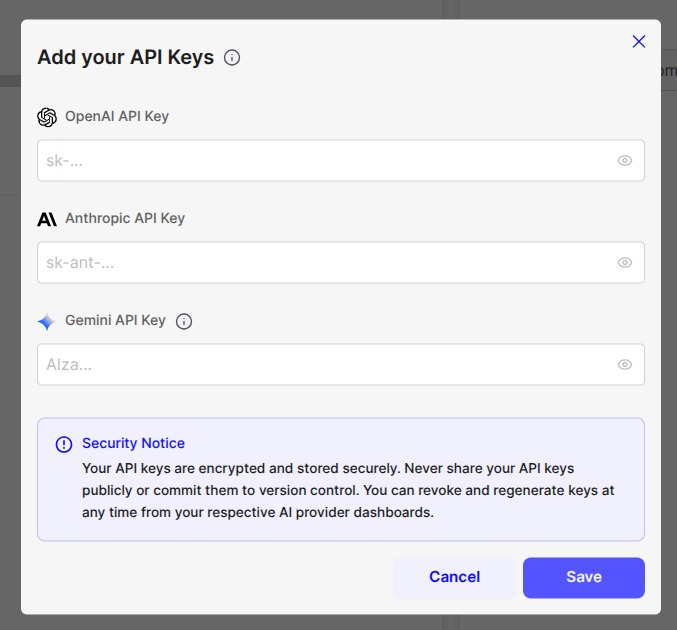
Chatzy AI allows you to create custom AI agents and directly connect your own API keys, giving you full control over cost, behavior, and data flow—just like traditional self-hosted systems, but without the infrastructure overhead.
What You Can Do with Chatzy AI
- Create AI agents without writing backend code
- Plug in your own ChatGPT API key instantly
- Use Gemini and Anthropic (Claude) APIs with similar setup
- Switch models without rebuilding your agent
- Keep ownership of usage, billing, and limits
This approach is ideal for developers and teams who prefer using their own APIs rather than relying on bundled or opaque usage models.
You can explore and start building at: https://chatzy.ai
Chatzy AI complements the Gemini API perfectly—combining modern agent workflows with the familiar discipline of bring-your-own-key architecture.
Begin Building with the ChatGPT API
You now have everything needed to start creating applications with the ChatGPT API.
Start with a small prototype using GPT-4.1-mini to minimize costs and experiment safely. Focus on solving a single task before expanding to more complex workflows. As your project grows, you can leverage more powerful models and advanced features.
Key Resources for Developers:
- OpenAI API Documentation – Official guides
- OpenAI Community Forum – Developer support
- API Pricing – Model costs and usage limits
- OpenAI Cookbook – Practical code examples
- RAG from Scratch – Custom data integrations
ChatGPT API empowers developers to experiment, iterate, and build meaningful AI applications with confidence.